
Smart TV vs Android TV: What's the Difference and Which Should You Buy in Nigeria?
Estimated Reading Time (Full Article): 13–15 minutes
About This Article
This article was prepared by the ELEXBIG Editorial Team.
Our team researches consumer electronics, smart home technology, and home entertainment trends to help Nigerians make informed buying decisions. This guide is based on real-world usage, practical experience, and the unique challenges of Nigerian homes, including internet reliability, electricity supply, and long-term value.
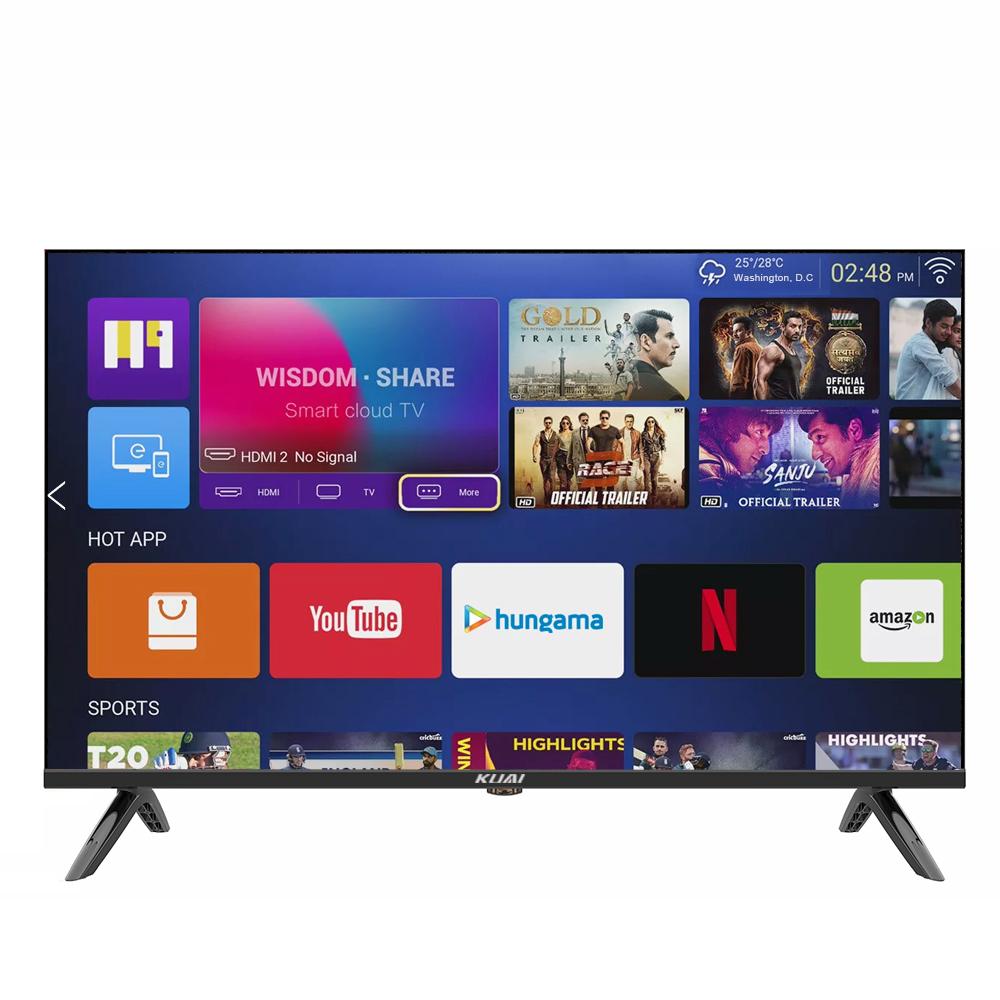
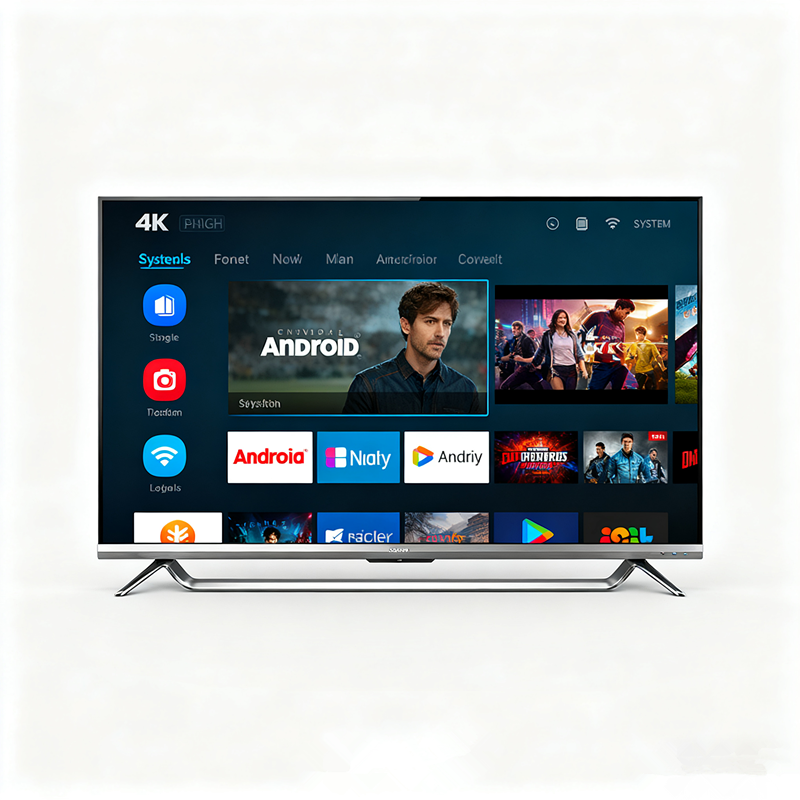
The Confusion That's Costing Many Nigerians Money
Walk into an electronics shop in Lagos, Abuja, Port Harcourt, or Kano and ask for a TV.
Within minutes, you'll probably hear these terms:
- Smart TV
- Android TV
- Google TV
- LED TV
- UHD TV
For many buyers, it sounds like every television has a different name.
The result?
People often leave the shop more confused than when they arrived.
One of the biggest misunderstandings is believing that Smart TV and Android TV are the same thing.
They are related—but they are not the same.
Understanding the difference before you buy can save you money and help you choose a TV you'll actually enjoy using for years.
The Short Answer
Let's clear up the biggest misconception first.
Every Android TV is a Smart TV.
But...
Not every Smart TV is an Android TV.
That single sentence explains the relationship between the two.
Think of it this way.
Imagine "Smart TV" is like the word "car."
Within the car category, you have:
- Toyota
- Honda
- Mercedes
Similarly:
"Smart TV" is the broad category.
Android TV is one specific type of Smart TV.
What Is a Smart TV?
A Smart TV is simply a television that can connect to the internet and run built-in applications.
Instead of only watching satellite television or connecting external devices, you can:
- Watch YouTube
- Stream Netflix
- Browse online content
- Connect to Wi-Fi
- Access entertainment apps
Years ago, televisions mainly displayed whatever came from a decoder or antenna.
Today's Smart TVs function more like entertainment hubs.
What Is an Android TV?
Android TV is a Smart TV that runs Google's Android TV operating system.
That means it uses software developed by Google.
Because of this, Android TVs usually include features such as:
- Google Play Store
- Google Assistant
- Chromecast support
- Wide app selection
- Voice search
In simple terms:
Every Android TV is smart.
But some Smart TVs use different operating systems instead of Android.
Different Smart TV Operating Systems
This is where many Nigerian buyers become confused.
Not all Smart TVs use the same software.
Some popular operating systems include:
| Operating System | Common Brands |
|---|---|
| Android TV | TCL, Hisense, Sony and others |
| Google TV | Selected Sony, TCL and newer models |
| Tizen | Samsung |
| webOS | LG |
| Brand-specific systems | Various manufacturers |
Each operating system offers a different experience.
That's why two Smart TVs sitting beside each other in a showroom can feel completely different to use.
Why This Matters in Nigeria
Let's be practical.
Many Nigerians use their TVs for much more than watching cable channels.
A typical evening might include:
- YouTube
- Netflix
- Football streaming
- Children's cartoons
- USB movies
- Screen mirroring from a smartphone
Some homes also use:
- Mobile hotspots
- Home Wi-Fi
- Decoders
- Android TV boxes
The operating system affects how smoothly all these activities work.
The Biggest Buying Mistake
One mistake happens repeatedly.
A buyer walks into a store and says:
"I want a Smart TV."
The seller shows the cheapest Smart TV available.
The buyer assumes:
"Since it's Smart, it can do everything."
Months later they discover:
- Limited apps
- Slow performance
- No Play Store
- No software updates
Technically, it is a Smart TV.
But it's not the experience they expected.
A Real-Life Nigerian Scenario
Imagine two neighbours each buy a 43-inch television.
Neighbour A buys a Smart TV with a basic operating system.
Neighbour B buys an Android TV.
Both connect to Wi-Fi.
At first, everything seems similar.
Six months later:
Neighbour A discovers some newer apps aren't available.
Navigation feels slower.
Software updates become rare.
Neighbour B continues downloading new apps, using voice search, and enjoying a smoother interface.
Both bought Smart TVs.
But only one bought an Android TV.
That's the difference.
Smart TV vs Android TV at a Glance
| Feature | Smart TV | Android TV |
|---|---|---|
| Internet Connection | ✅ | ✅ |
| Streaming Apps | ✅ | ✅ |
| Google Play Store | Sometimes | ✅ |
| Google Assistant | Rare | ✅ |
| Voice Search | Limited | ✅ |
| Chromecast | Sometimes | Usually |
| App Selection | Depends on brand | Extensive |
| Software Flexibility | Varies | High |
Already, you can see why buyers should understand the difference before making a decision.
Is Android TV Always Better?
Not necessarily.
This is another misconception.
There are excellent Smart TVs that don't run Android.
For example:
- Samsung's Tizen platform
- LG's webOS
Both are mature, fast, and reliable systems.
Choosing between them depends on:
- Your budget
- The apps you use
- Your preferred interface
- Long-term expectations
We'll compare these properly in the next section.
Questions to Ask Before Buying
Instead of asking:
"Is this a Smart TV?"
Ask:
- Which operating system does it use?
- Does it support future app updates?
- Does it include Google Play Store?
- Can I install additional apps?
- Does it support voice search?
- Will it meet my needs in two or three years?
Those questions will tell you much more than the words “Smart TV.”
ELEXBIG Editorial Insight
One pattern we've consistently observed is that many Nigerian buyers focus almost entirely on screen size and price.
But after a few months, what they interact with every day isn't just the screen.
It's the software.
A television with a better operating system often provides a more enjoyable experience over its lifetime than one chosen purely because it was cheaper.
That's why understanding the operating system is just as important as understanding the display.
Explore TVs on ELEXBIG
Compare different television options before making your decision:
Smart TVs:
https://elexbig.com/product-categories/smart-tvs
Android TVs:
https://elexbig.com/product-categories/android-tvs
Comparing different models side by side makes it easier to understand which features matter most for your home.
The Real Difference Shows After You Get Home
Almost every TV looks impressive inside a showroom.
Bright lights.
High-quality demo videos.
Perfect internet connection.
But your living room is different.
Your TV has to work with:
- Your home Wi-Fi
- Your mobile hotspot
- NEPA power interruptions
- Family members using different apps
- Streaming services
- USB drives
- Decoders
That's where the real differences between Smart TVs and Android TVs become obvious.
Apps: Which One Gives You More?
This is one of the biggest differences.
A Smart TV usually comes with several pre-installed apps like:
- YouTube
- Netflix
- Prime Video
- Browser (on some models)
But depending on the operating system, adding new apps may be difficult—or even impossible.
Android TVs, on the other hand, usually include access to the Google Play Store, allowing you to download a much wider range of apps.
App Comparison
| Feature | Smart TV | Android TV |
|---|---|---|
| YouTube | ✅ | ✅ |
| Netflix | ✅ | ✅ |
| Google Play Store | Sometimes | ✅ |
| Install New Apps | Limited on some models | Extensive |
| App Updates | Depends on brand | Regular through Google ecosystem |
ELEXBIG Insight
If you enjoy trying new streaming services or installing additional apps over time, Android TV generally offers more flexibility.
Speed and Performance
Many buyers only notice TV speed after several months of use.
Common complaints include:
- Slow menus
- Apps taking too long to open
- Delayed remote response
- Lag when switching between apps
Performance depends on:
- Processor
- RAM
- Software optimisation
—not just whether the TV is labelled "Smart."
General Comparison
| Category | Smart TV | Android TV |
|---|---|---|
| Navigation Speed | Good | Very Good |
| Multitasking | Moderate | Better |
| Software Responsiveness | Varies | Usually smoother |
Premium Smart TVs from brands like Samsung and LG can be extremely fast, but many entry-level Smart TVs with basic operating systems may become slower over time.
Streaming Experience
For many Nigerian families, streaming has become part of everyday entertainment.
Whether it's:
- Nollywood movies
- Premier League matches
- YouTube
- Kids' cartoons
...the TV should make streaming simple.
Streaming Comparison
| Activity | Smart TV | Android TV |
|---|---|---|
| Netflix | Excellent | Excellent |
| YouTube | Excellent | Excellent |
| Disney+ & Other Apps | Depends on OS | Better support |
| Voice Search | Limited | Excellent |
Android TV's built-in Google Assistant makes finding movies and shows much easier, especially if you don't like typing with a remote.
Voice Control
Imagine saying:
"Play comedy movies."
Instead of typing every letter using your remote.
That's one reason many buyers appreciate Android TV.
Google Assistant can help with:
- Searching YouTube
- Finding movies
- Opening apps
- Adjusting settings
- Checking weather
Some non-Android Smart TVs also include voice assistants, but the experience varies by brand.
Internet Usage
Internet quality differs across Nigerian households.
Some use:
- Fibre broadband
- Mobile hotspots
- 4G routers
- 5G routers
The TV should reconnect easily whenever the connection changes.
In our experience, both Smart TVs and Android TVs handle Wi-Fi well, though Android TV often offers more advanced network settings and troubleshooting options.
Screen Mirroring
Many Nigerians like displaying content from their phones directly on the TV.
For example:
- Family photos
- TikTok videos
- Presentations
- Vacation clips
Screen Mirroring Comparison
| Feature | Smart TV | Android TV |
|---|---|---|
| Phone Casting | Usually supported | Excellent |
| Chromecast Built-In | Sometimes | Usually |
| Android Phone Compatibility | Good | Excellent |
If you regularly cast content from an Android phone, Android TV often provides the smoother experience.
Software Updates
A television is a long-term purchase.
Ideally, it should still feel modern after several years.
Software updates help by:
- Fixing bugs
- Improving security
- Adding features
- Supporting newer apps
Update Comparison
| Category | Smart TV | Android TV |
|---|---|---|
| Frequency | Depends on manufacturer | Generally more consistent |
| App Compatibility | Varies | Usually better over time |
Keep in mind that software support also depends on the TV brand and model—not just the operating system.
👨👩👧👦 Which TV Fits Different Homes?
For a Student Apartment
Priorities:
- Affordable
- Netflix
- YouTube
A basic Smart TV may be enough if your needs are simple.
For a Family Living Room
Priorities:
- Multiple apps
- Easy navigation
- Kids' content
- Voice search
Android TV is often a stronger choice.
For Older Parents
Priorities:
- Simple interface
- Easy remote control
- Watching local channels and YouTube
Either option can work, but choose a TV with an easy-to-use interface rather than focusing only on specifications.
For Movie Lovers
Priorities:
- Wide app support
- Easy streaming
- Smooth navigation
Android TV offers more flexibility as your entertainment needs grow.
Practical Comparison
| Category | Smart TV | Android TV |
|---|---|---|
| Easy to Use | ⭐⭐⭐⭐☆ | ⭐⭐⭐⭐⭐ |
| App Variety | ⭐⭐⭐☆☆ | ⭐⭐⭐⭐⭐ |
| Voice Features | ⭐⭐☆☆☆ | ⭐⭐⭐⭐⭐ |
| Streaming | ⭐⭐⭐⭐☆ | ⭐⭐⭐⭐⭐ |
| Future Flexibility | ⭐⭐⭐☆☆ | ⭐⭐⭐⭐⭐ |
A Buying Mistake Worth Avoiding
Some buyers assume:
"If it's cheaper today, I'll just upgrade later."
But replacing a television isn't like replacing a phone.
Many families keep the same TV for five to ten years.
That makes long-term usability just as important as the purchase price.
Sometimes spending a little more upfront provides a much better experience over the life of the TV.
ELEXBIG Editorial Insight
One thing we've consistently noticed is that buyers rarely complain about choosing a TV with too many useful features.
What they regret is buying a television that feels outdated after only a year or two because it can't install new apps or keep up with changing streaming services.
Thinking about how you'll use the TV in the future—not just today—often leads to a smarter buying decision.
So, Which One Should You Buy?
After comparing features, apps, software, performance, and everyday usability, it's time to answer the question that brought you here.
Should you buy a Smart TV or an Android TV?
The answer depends on one thing:
How do you plan to use your TV over the next few years?
Not just this weekend.
A television is usually a long-term purchase. Many Nigerian households keep the same TV for five years or more, so choosing the right platform today can save you frustration later.
Our Recommendation by User Type
Instead of declaring one overall winner, here's what we recommend based on different needs.
| If You Are... | Better Choice | Why |
|---|---|---|
| First-time TV Buyer | Android TV | More apps and easier future upgrades |
| Student | Smart TV or Android TV | Depends on budget and streaming needs |
| Family | Android TV | Better app support and voice search |
| Movie Lover | Android TV | Access to more streaming services |
| Casual Viewer | Smart TV | Enough for YouTube, Netflix, and TV channels |
| Tech Enthusiast | Android TV | Greater flexibility and customization |
Which One Gives Better Value?
Many buyers think value simply means buying the cheaper TV.
It doesn't.
Real value includes:
- Ease of use
- Software updates
- Available apps
- Long-term reliability
- Entertainment options
- Future compatibility
A TV that costs a little more but remains useful for years often provides better value than one that becomes outdated quickly.
Choose a Smart TV If...
A standard Smart TV may be the better option if:
✔ You mainly watch local TV channels.
✔ You use YouTube and Netflix occasionally.
✔ You don't plan to install extra apps.
✔ You prefer a simple interface.
✔ You're shopping on a tighter budget.
For many households, that's more than enough.
Choose an Android TV If...
An Android TV is usually the better choice if:
✔ You stream movies regularly.
✔ You enjoy downloading new apps.
✔ You want Google Assistant and voice search.
✔ You cast content from your Android phone.
✔ You want your TV to stay useful for years.
✔ You like having more entertainment options.
⚠️ Common Buying Mistakes Nigerians Make
❌ Buying Only Based on Screen Size
A bigger screen doesn't automatically mean a better TV.
A 55-inch TV with poor software can be more frustrating than a smooth, well-optimized 43-inch Android TV.
❌ Ignoring the Operating System
Many buyers ask:
"Is it a Smart TV?"
A better question is:
"Which operating system does it use?"
That's what determines how the TV behaves every day.
❌ Buying Without Thinking About Internet Access
If your home rarely has internet access, many smart features won't be used regularly.
In that case, spending much more for advanced streaming features may not provide the value you expect.
❌ Assuming Every Smart TV Works the Same
Two TVs may both say "Smart TV" on the box.
One might support hundreds of apps.
The other may only support a handful.
Always check the operating system and app compatibility before buying.
❌ Focusing Only on Today's Needs
Technology changes quickly.
Think about how you'll use the TV two or three years from now—not just today.
Final Comparison
| Category | Smart TV | Android TV |
|---|---|---|
| Internet Features | ⭐⭐⭐⭐☆ | ⭐⭐⭐⭐⭐ |
| App Variety | ⭐⭐⭐☆☆ | ⭐⭐⭐⭐⭐ |
| Ease of Use | ⭐⭐⭐⭐☆ | ⭐⭐⭐⭐⭐ |
| Voice Search | ⭐⭐☆☆☆ | ⭐⭐⭐⭐⭐ |
| Future Flexibility | ⭐⭐⭐☆☆ | ⭐⭐⭐⭐⭐ |
| Best Budget Choice | ⭐⭐⭐⭐⭐ | ⭐⭐⭐⭐☆ |
| Long-Term Value | ⭐⭐⭐⭐☆ | ⭐⭐⭐⭐⭐ |
A Simple Way to Decide
Still unsure?
Answer these five questions.
1. Will I mostly stream content?
If yes, Android TV is likely the better fit.
2. Do I want to install more apps later?
If yes, Android TV offers greater flexibility.
3. Is my budget limited?
A good Smart TV can still provide excellent value for everyday viewing.
4. Will children use this TV?
Android TV's wider app selection and voice search can make family entertainment easier.
5. Do I want this TV to stay useful for years?
Android TV generally offers stronger long-term flexibility.
ELEXBIG Editorial Insight
One thing we've noticed is that many Nigerians buy televisions based almost entirely on price.
A few months later, they begin wishing the TV could do more.
That's why we encourage buyers to think beyond today's needs.
A television isn't just a screen anymore.
It's the centre of family entertainment.
Choosing the right operating system today can make your TV more enjoyable throughout its lifetime.
Explore TVs on ELEXBIG
Ready to compare models?
Browse televisions by category:
Smart TVs:
https://elexbig.com/product-categories/smart-tvs
Android TVs:
https://elexbig.com/product-categories/android-tvs
Comparing models side by side helps you find the right balance between screen size, operating system, features, and budget.
Frequently Asked Questions
Is every Android TV a Smart TV?
Yes. Every Android TV is a Smart TV because it connects to the internet and supports streaming apps.
Is every Smart TV an Android TV?
No. Many Smart TVs use other operating systems such as Samsung's Tizen or LG's webOS.
Which is better for Netflix and YouTube?
Both Smart TVs and Android TVs support popular streaming services. Android TV usually provides greater flexibility for installing additional apps.
Which TV is better for Nigerian families?
For households that stream regularly and want access to more entertainment options, Android TV is often the better choice.
Do I need internet to use an Android TV?
You can watch content from USB drives, HDMI devices, or local channels without internet. However, internet access is needed for streaming services, app downloads, and many smart features.
Can I connect my phone to both TVs?
Yes. Both Smart TVs and Android TVs support screen mirroring on many models, though Android TV often provides a smoother casting experience with Android smartphones.
Final Thoughts
The choice between a Smart TV and an Android TV isn't really about which one is "better."
It's about which one better matches the way you watch TV.
If you simply want a television for YouTube, Netflix, and occasional streaming, a quality Smart TV may be all you need.
If you want greater flexibility, more apps, voice control, and better long-term value, an Android TV is usually the stronger investment.
The best television isn't the one with the longest feature list.
It's the one that fits your home, your budget, and the way your family enjoys entertainment every day.
About Author - ELEXBIG Editorial Team

Latest Articles





Featured Articles

Related Articles
Top 10 Online Marketplaces in Nigeria in 2026 | Best Shopping Sites
Discover the top 10 online marketplaces in Nigeria in 2026. Compare Jumia, Konga, Elexbig, Jiji, Slot,...
Compare Meta Quest 3 and Apple Vision Pro: Which Mixed Reality Headset Is Worth Your Money in Nigeria?
Compare the Meta Quest 3 and Apple Vision Pro in this detailed Nigerian buying guide. Discover...
LG vs Hisense: Which Brand Is More Reliable in Nigeria?
Compare LG and Hisense to discover which brand is more reliable in Nigeria. Learn how they...